Embedding Spaaza in a webshop or app with an iFrame
Spaaza Embed in an iFrame is a legacy solution. For new implementations, we recommend using Embed Elements.
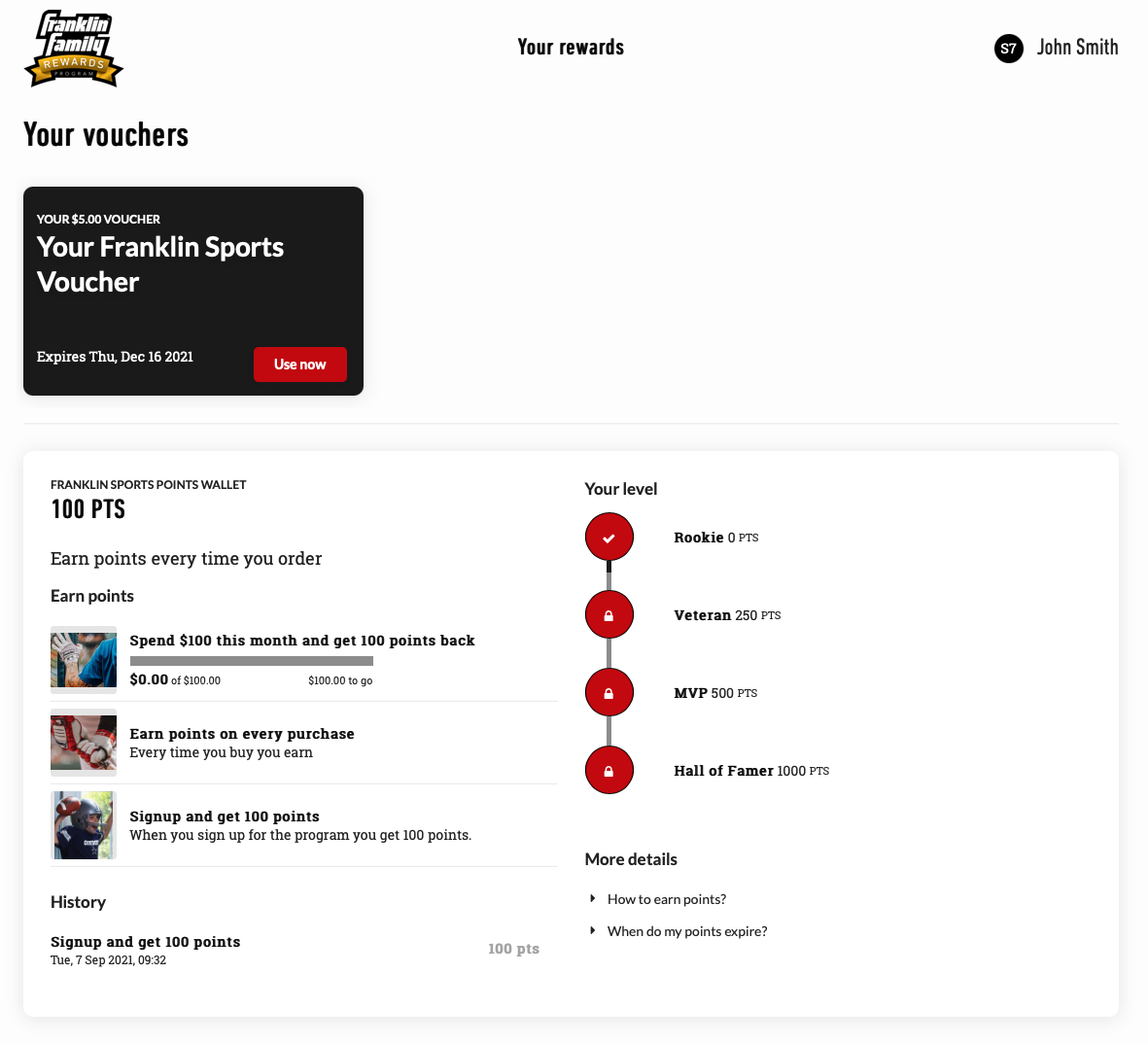
Spaaza Embed (also sometimes called Spaaza's iFrame) is a hosted web application that can be embedded in a website or mobile app as an iFrame. It provides a personalised program experience for a user, including points, vouchers, rewards, and promotions.
Spaaza Embed also supports interactive actions such as claiming vouchers, converting points into vouchers, and sharing referrals. The content shown is based on campaigns and configuration managed in Spaaza Console.
This integration is not automatically available for all customers and can require setup and configuration by the Spaaza team.
Implementation
To use Spaaza Embed in an iFrame, request a session token from Spaaza and pass it with the user ID to the iFrame URL:
- The website or app calls Spaaza's Session endpoint, passing the
X-Spaaza-MyPrice-App-Hostnameheader along with one of these identifiers:username,user_id,member_number, orauthentication_point_identifier. - The website or app loads the Spaaza page in an iFrame using
session_keyanduser_id:https://{Embed hostname}/user?session_key=[SESSION_KEY]&user_id=[USER_ID]
- Spaaza validates the session and returns personalised content.
Spaaza provides the {Embed hostname} during onboarding. See the API Environments section for details.
Platform-specific notes
Shopify
Spaaza Embed is automatically installed in the default template when Spaaza's Shopify app is installed. Developers or webshop managers can then adjust Shopify template files to control where and how the iFrame is shown.
Magento (Adobe Commerce Cloud)
Spaaza Embed is included when Spaaza's Magento 2 extension is installed. Developers can choose where and how to display it using standard Magento components.
Adjusting iFrame height dynamically
Spaaza Embed posts its height when it changes, so the host website or app can resize the iFrame and avoid nested scrollbars or empty space.
<iframe
	id="spaaza-embed-iframe"
	allow="clipboard-write"
	src="https://{Embed hostname}/user?session_key=[SESSION_KEY]&user_id=[USER_ID]"
	style="width:100%;border:none;">
</iframe>
<script>
	window.onmessage = (e) => {
		if (e.data.hasOwnProperty("frameHeight")) {
			document.getElementById("spaaza-embed-iframe").style.height = `${e.data.frameHeight}px`;
		}
	};
</script>
Custom styling
Brands can control parts of Spaaza Embed styling through campaign-level configuration in Spaaza Console. Spaaza can also apply custom styling and configuration when needed as custom work. For details, contact Spaaza Support.