Review Lucky Shopper reporting
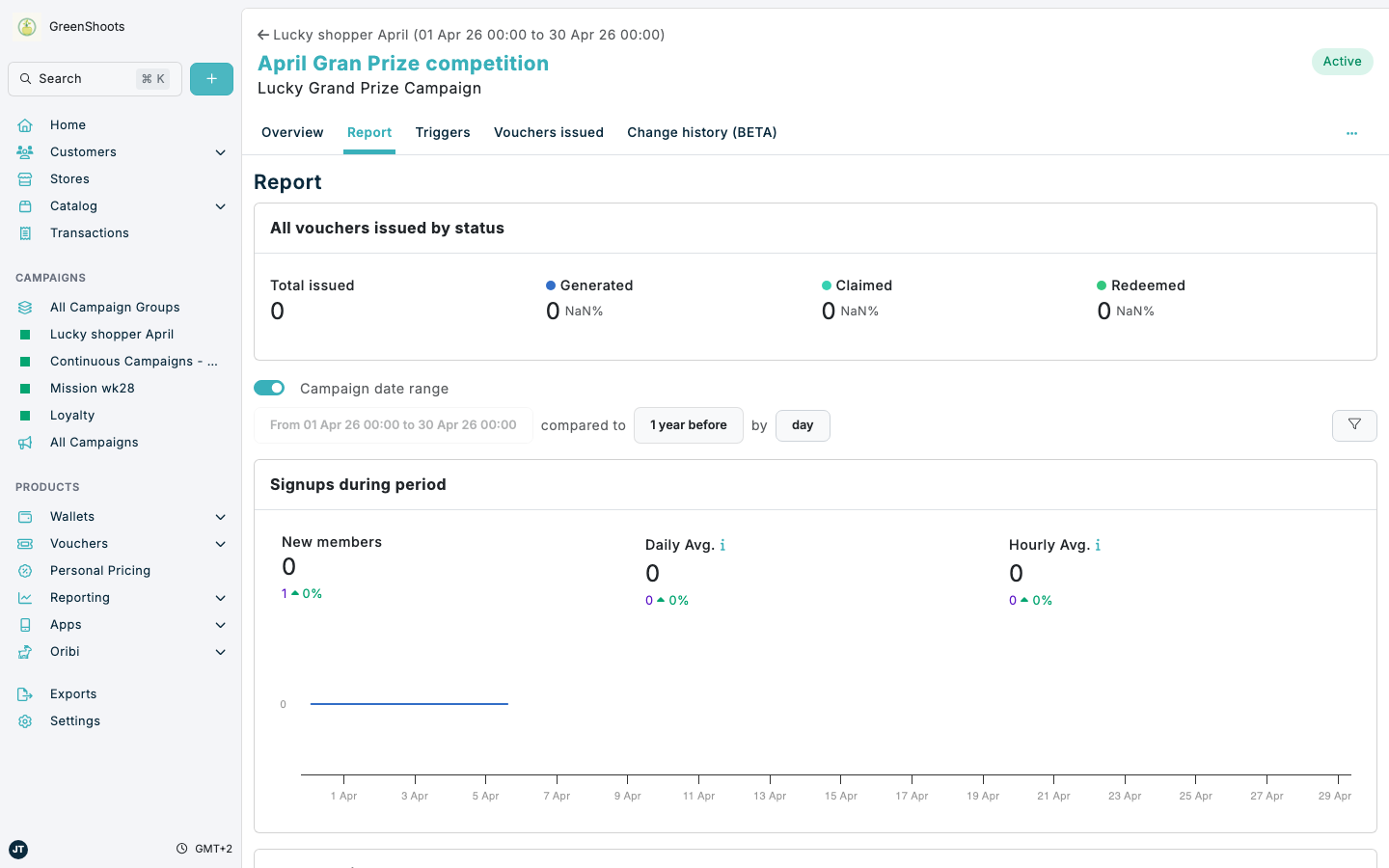
Lucky Shopper reporting is mainly reviewed from the campaign report. This is the best place to monitor voucher issuance, voucher usage, and campaign activity over the campaign date range for an individual Lucky Shopper campaign.
Expected result
- You know which report sections are most useful for a Lucky Shopper campaign.
- You can review issued and redeemed voucher metrics for the campaign.
- You can use the campaign date range and report controls to focus the reporting period.
Review Lucky Shopper reporting in Console
- Open the Lucky Shopper campaign you want to review and click Report. For example, April Gran Prize competition.
- Leave Campaign date range enabled when you want the report to stay aligned with the campaign period.
- Use the date control that begins From ... to ... if you need to review a different period, or use More options for additional report settings.
- In Summary, review Promoted SKU performance for sales, units, buyers, baskets, and redemption rate when the campaign has assigned barcodes. Review All vouchers issued by status for the campaign totals and the split between Generated, Claimed, and Redeemed vouchers.
- Open Price and mechanics and review Vouchers issued for the campaign trend charts and totals, including Number vouchers created, Value of vouchers created, Vouchers redeemed, and Value of redemptions.
- Open Channel performance and review Top 20 redeeming stores (BETA) when you want to see where Lucky Shopper rewards were redeemed.
If something looks different
- If the report looks empty, first confirm the campaign has been active during the selected period and that qualifying purchases were made.
- If the date control is disabled, check whether Campaign date range is turned on.
- If you need a list of the actual vouchers created by the campaign, open the campaign's Vouchers issued tab from the same campaign.