Understand products and variants
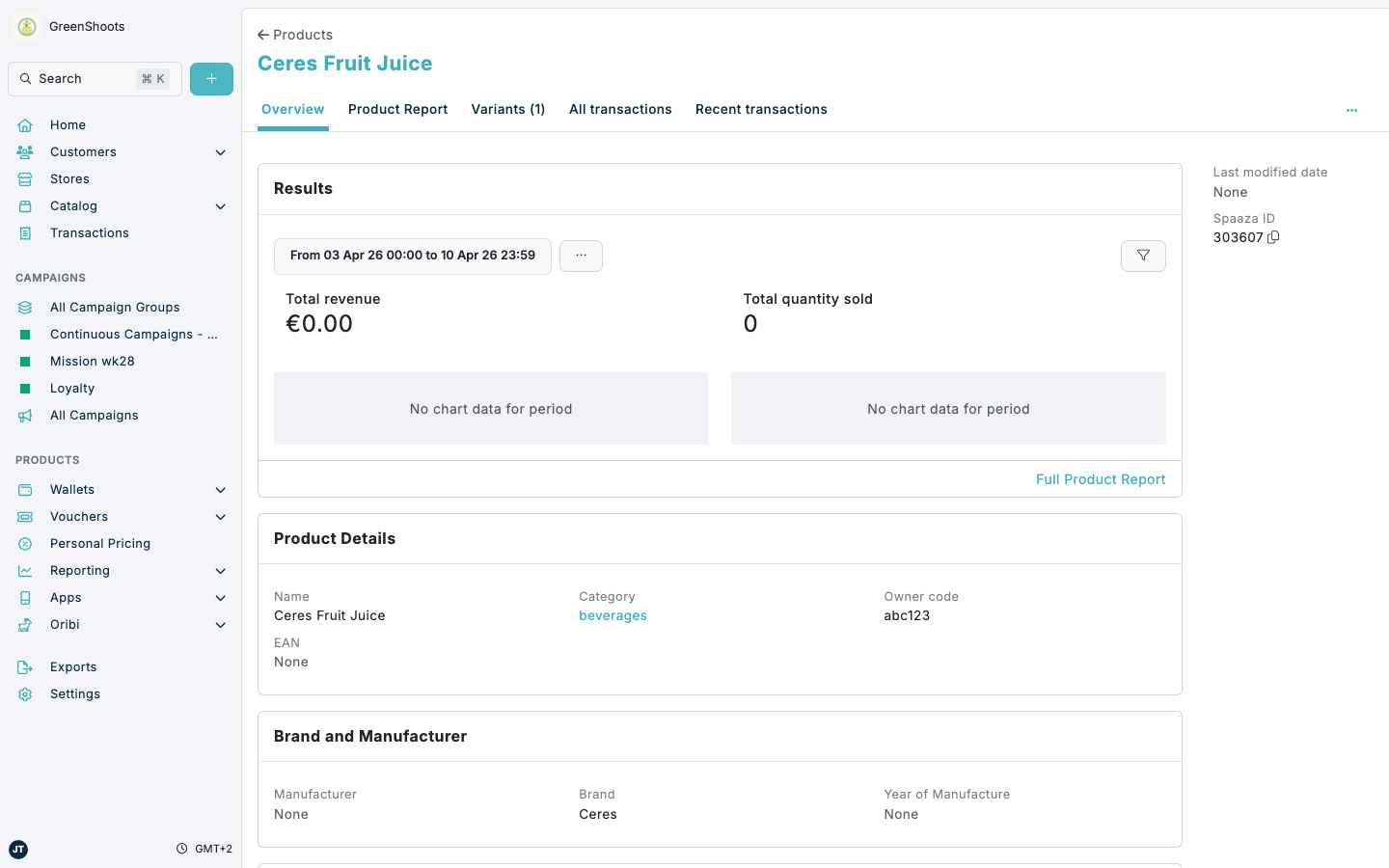
Products and variants work together to describe what you sell in Spaaza Console. A product is the parent catalog record for an item, while variants hold the specific sellable versions of that product.
Expected result
- You understand that products hold the shared item record.
- You understand that variants sit inside a product and store the sellable versions of that item.
- You know which page to open when you need product-level details or variant-level details.
Review products and variants in Console
- Open Catalog, select the Products tab, then open a product.
- On the product Overview page, review shared product fields such as Name, Category, Owner code, Brand, and product pricing.
- Use the Variants tab to see how many variants belong to that product.
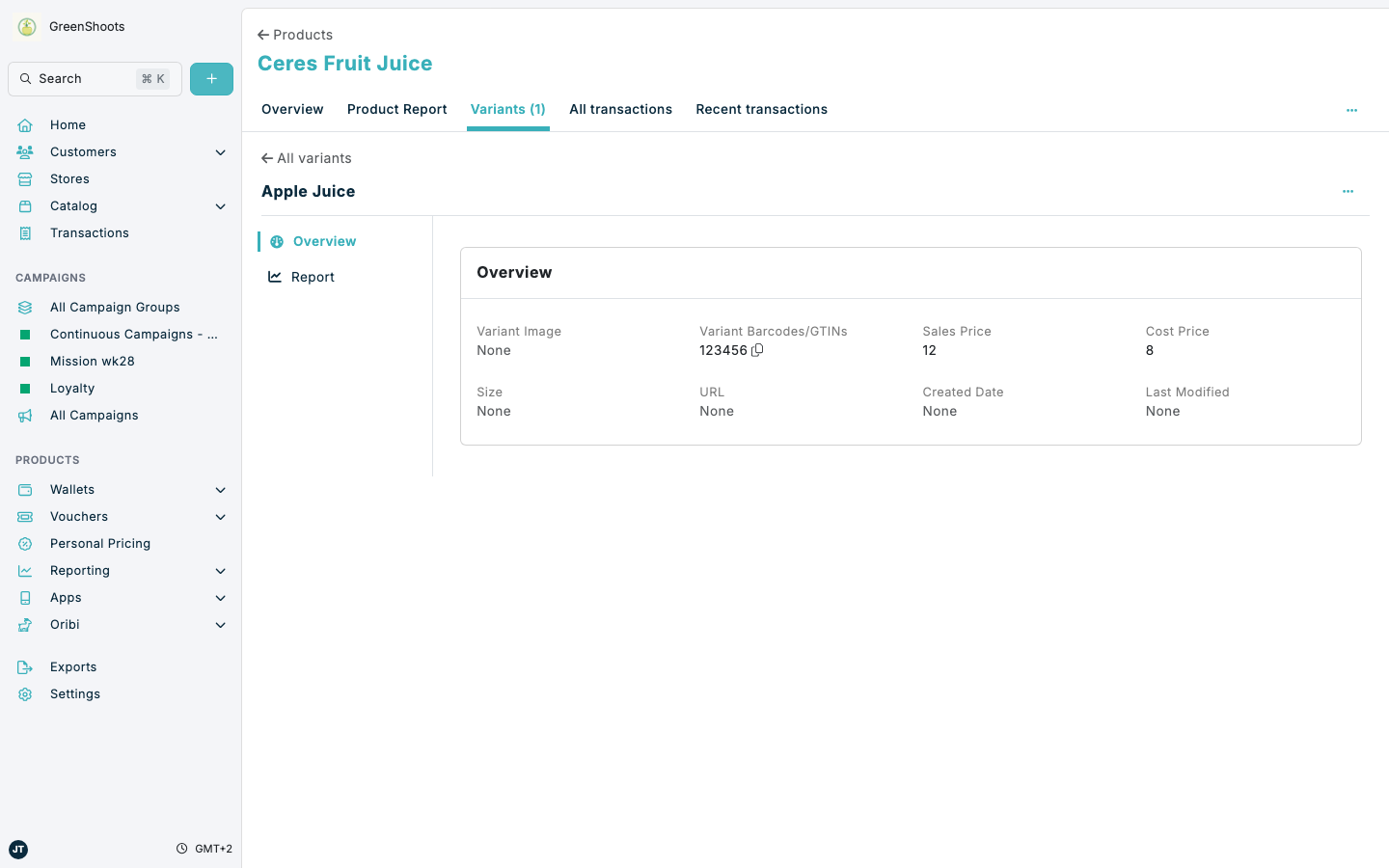
- Open Variants to review the child records linked to the product.
- Open an individual variant when you need to check variant-specific fields such as GTINs, size, colour, URLs, or variant pricing.
- Return to the product Overview page when you need the parent item record and its overall product context.
-
Use a product for the shared catalog definition of the item.
-
Use variants for the item versions that need their own GTINs or other sellable attributes.
-
Manage variants from inside the parent product rather than treating them as standalone products.
If something looks different
- If you cannot find Variants, open a product record first. The variant relationship is shown inside the parent product.
- If a product has no variants yet, the Variants tab may show an empty state until the first one is added.
- If you are unsure whether to edit a product or a variant, use the product for shared fields and the variant for GTIN-specific item versions.