Review product and variant insights
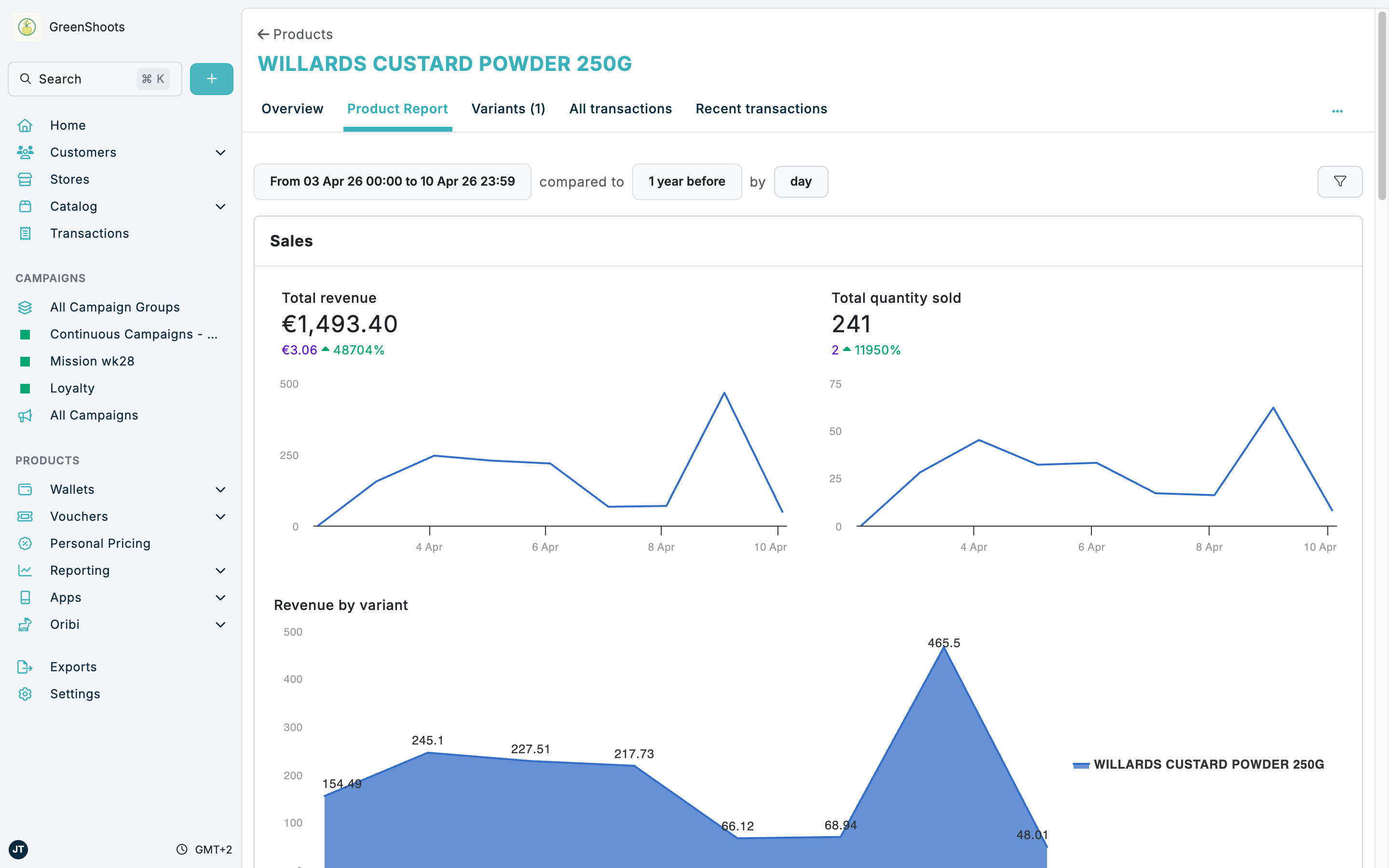
Use the product Overview, Product Report, and variant Report pages to understand how an item is performing. Product reporting shows the combined performance of the product and its variants, while the variant report focuses on the selected sellable item.
Expected result
- You can open Product Report from a product's Overview page and review its main charts and breakdowns.
- You can open a specific variant's Report page from the product's Variants tab.
- You can tell when the data is product-wide and when it is limited to the selected variant.
Reviewing product insights in Console
- Open Catalog, select the Products tab, then open a product.
- In Overview, review the Results card for the current summary and click Full Product Report when you need the full analytics view.
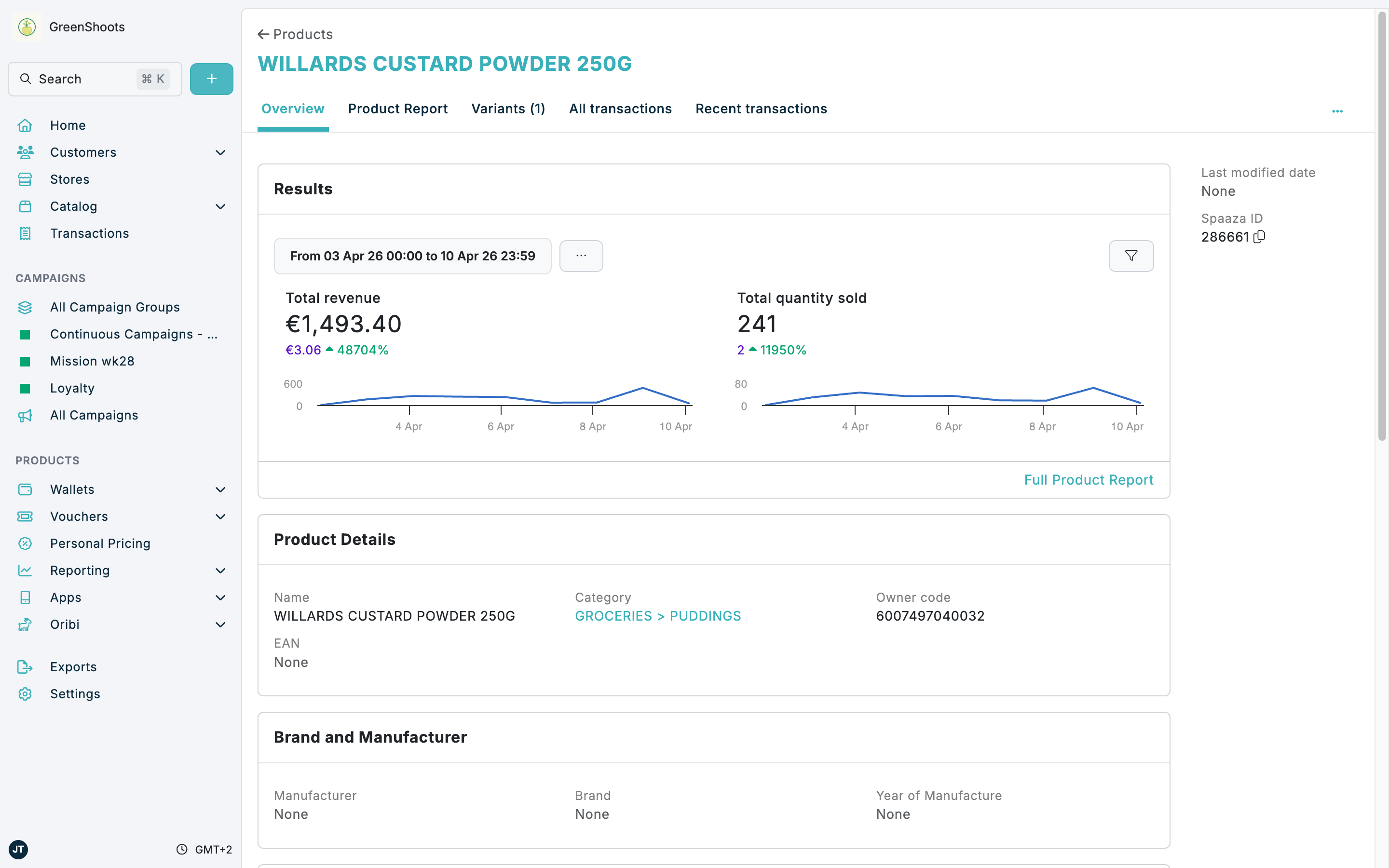
- In Product Report, use the date range, comparison period, and time grouping controls at the top of the page to scope the analysis.
- Review the Sales section for Total revenue, Total quantity sold, and Revenue by variant.
- Scroll through the rest of the report to review Buyer Demographics, Repeat purchases, Price over time, and Basket breakdown.
- Use All transactions or Recent transactions when you need to inspect the transaction-level records behind the product totals.
Reviewing variant-level details
- Open the product's Variants tab.
- Review the variant cards for barcode, price, and lifecycle details.
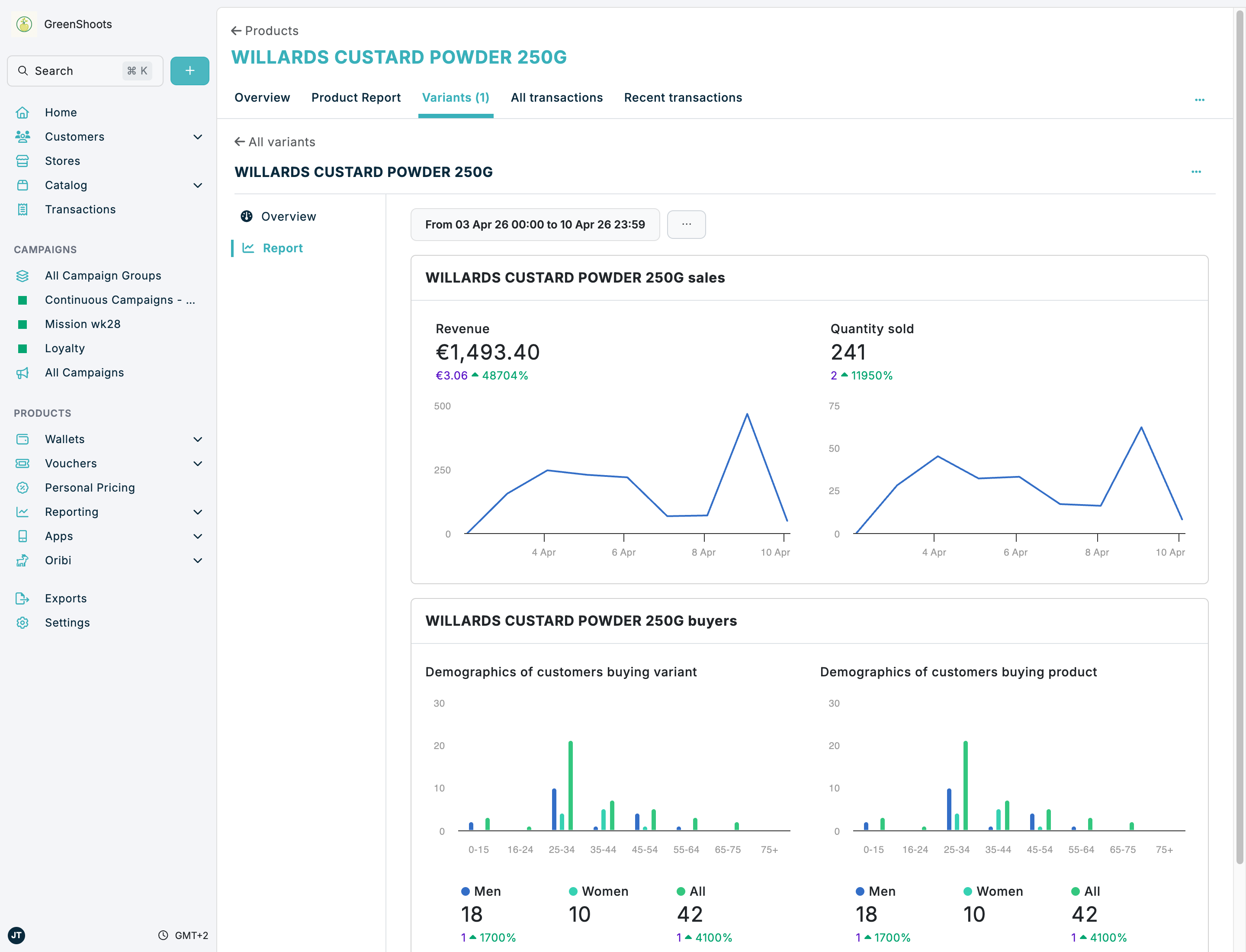
- Click the variant name to open the variant child page, then open Report.
- In the variant report, review the Revenue and Quantity sold charts for the selected variant.
- Compare Demographics of customers buying variant with Demographics of customers buying product to see whether the selected variant behaves differently from the wider product.
- Use the note at the bottom of the page as a guide: variant sales data is based on that variant's barcodes.
If something looks different
- If the product report looks empty or incomplete, check the date range and comparison controls at the top of the page before assuming there is no performance data.
- If the variant report does not match the product totals, remember that Product Report combines the product and its variants, while the variant Report uses only the selected variant's barcodes.
- If you cannot open a variant report, confirm the product has at least one entry in Variants and open the variant name rather than staying on the product-level tabs.