Create a Personal Pricing promotion
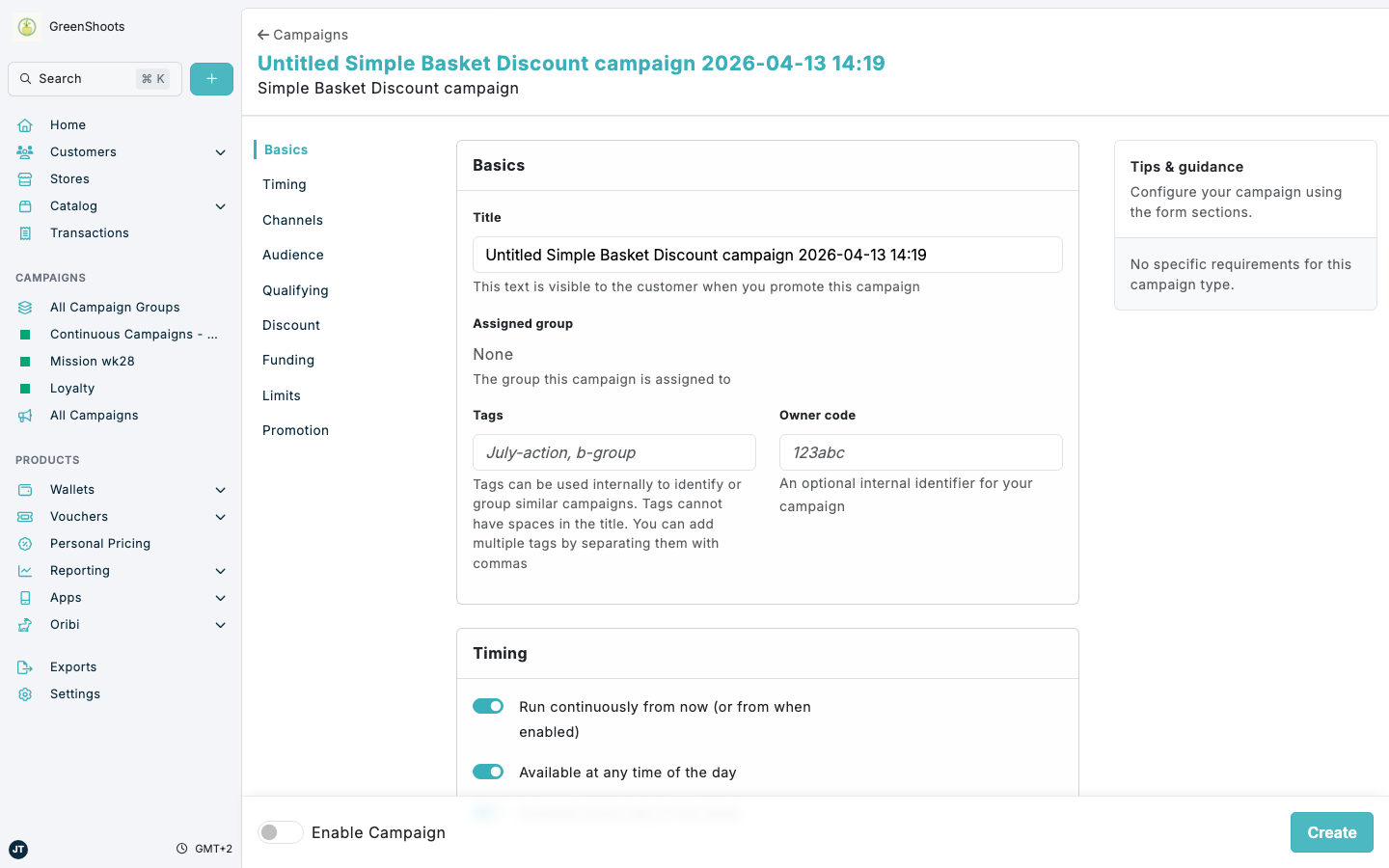
Use Personal Pricing campaigns when you need a checkout discount that is triggered by qualifying baskets, products, or customer conditions. In Console, these promotions are created from the Personal Pricing Discounts campaign family and then managed like other campaigns.
Common Personal Pricing campaign types include:
- Simple Basket Discount
- Fixed Monetary Discount
- Free Product Basket Discount
- Multibuy Bundle Discount
- Bundle Discount (fixed)
- Bundle Discount
- Per Unit Discount
Expected result
- You can choose the Personal Pricing campaign type you want to create.
- You can review the main qualification, targeting, discount, and timing settings before you save.
- You can reopen the promotion later and update it when needed.
Create a Personal Pricing promotion in Console
- Open Campaign groups.
- Open the campaign group where the promotion should live, or click Create a group and create a new campaign group first.
- In the campaign group, click Add campaign.
- Select Reward.
- In Personal Pricing Discounts, choose the promotion type you want to configure.
- In Basics, enter the Title and any internal identifiers you want to keep with the campaign.
- In Timing, set when the promotion should be available.
- In Channel and store targeting, define where the promotion can apply.
- In Audience, configure any included or excluded segments if the promotion should only apply to specific customers.
- In Qualifying baskets and items, define the basket or product conditions that must be met.
- In Discount applied, set the discount method and value for the promotion.
- Review any other sections that apply to your setup, such as Funding, Limits, or Promotion.
- Turn on Enable Campaign when the promotion is ready to use.
- Click Create.
- To edit an existing promotion later, open the campaign, click Edit, update the settings you need, then click Save.
If something looks different
- The available sections vary slightly by Personal Pricing campaign type, especially for bundle and free-product promotions.
- If you do not see Personal Pricing Discounts, make sure you opened Add campaign from a campaign group and selected Reward.
- If you do not see Discount applied, confirm that you selected a campaign from Personal Pricing Discounts rather than a voucher or wallet campaign.
- If you need to review applied discounts instead of campaign settings, use Viewing and filtering promotions applied.