Manage Personal Pricing settings
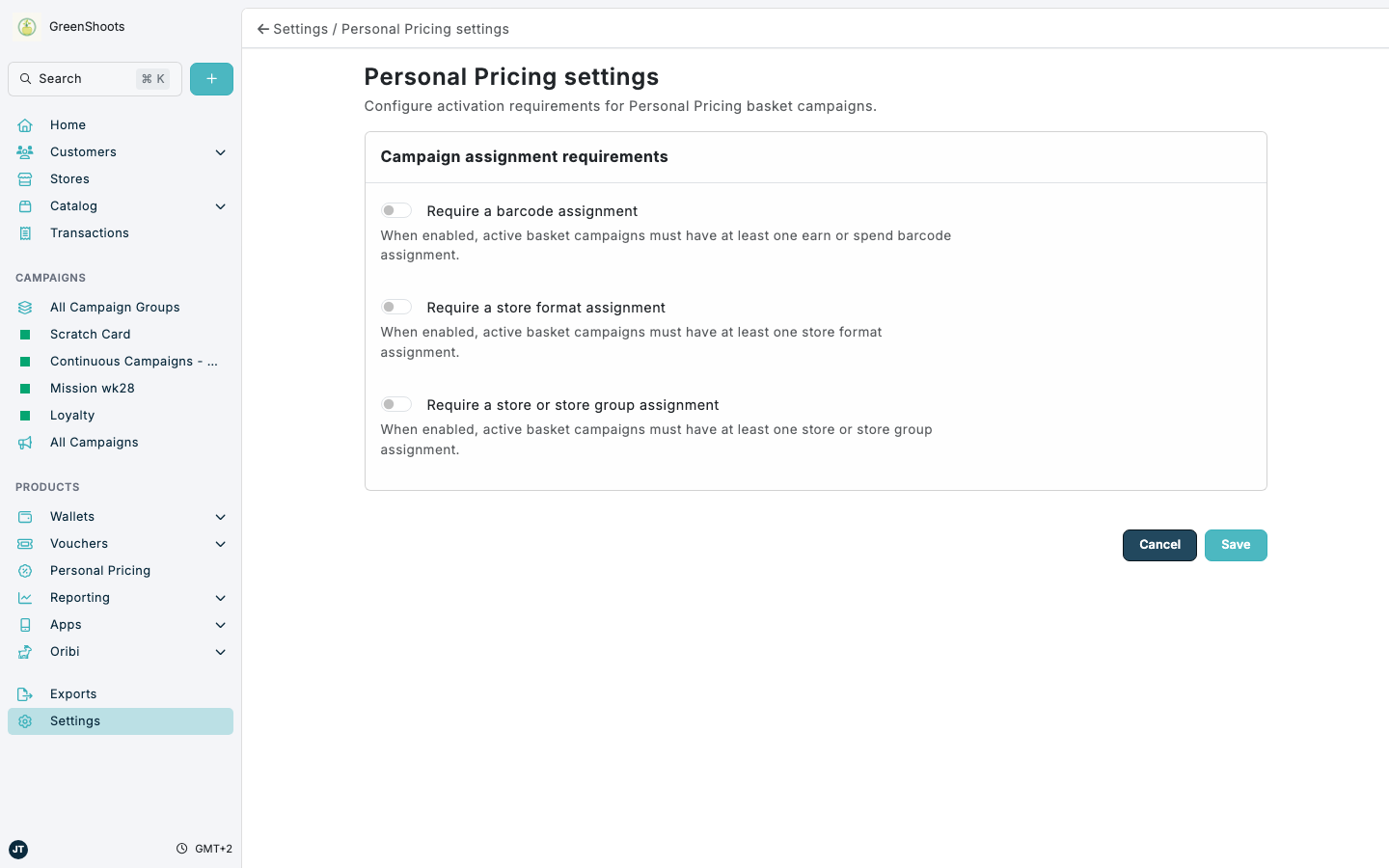
Use Personal Pricing settings when active basket campaigns should always include specific targeting assignments before they can be enabled.
Expected result
- Active basket campaigns can be required to include barcode targeting.
- Active basket campaigns can be required to include store format targeting.
- Active basket campaigns can be required to include store or store group targeting.
Update Personal Pricing settings in Console
- Open Settings.
- In Configuration, click Personal Pricing settings.
- Turn on Require a barcode assignment if active basket campaigns must include at least one earn or spend barcode assignment.
- Turn on Require a store format assignment if active basket campaigns must include at least one store format assignment.
- Turn on Require a store or store group assignment if active basket campaigns must include at least one store or store group assignment.
- Click Save.
If something looks different
- These settings apply to active basket campaigns. Disabled campaigns can still be saved while they are being prepared.
- If a campaign cannot be enabled, review the campaign's targeting sections and add the required assignment before saving again.