Change default voucher settings
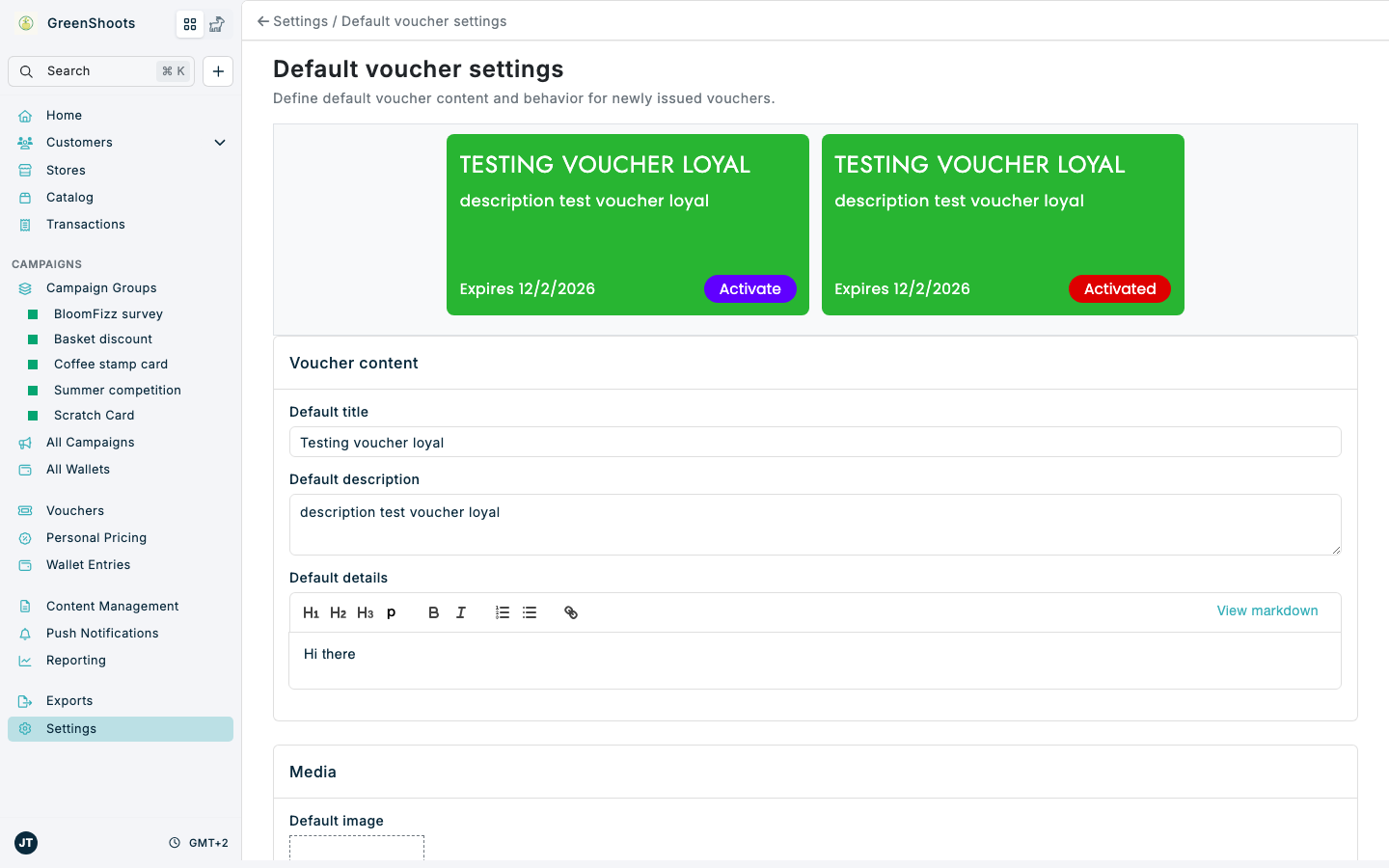
Use Default voucher settings to define the default content, image, button colours, expiry, and claimed state used when vouchers are created from the base loyalty setup.
The preview at the top of the page shows the voucher card in both button states, Activate and Activated, and updates as you make changes.
Expected result
- The Settings overview is visible after you click Save.
- Default title, Default description, and Default details are saved for newly issued vouchers that use these defaults.
- Default image is uploaded or cleared.
- Primary action background and Secondary action background are saved as the default button colours.
- Default days to expiry and Claimed are saved as the default voucher behavior.
Change default voucher settings in Console
- Open Default voucher settings.
- In Voucher content, update Default title, Default description, and Default details.
- In Media, upload or clear the Default image. It is used as the voucher background image for every voucher that has no image of its own.
- In Button colours, click Primary action background or Secondary action background and pick a colour. Primary action background also changes the default action colour of all campaign items.
- Check Background colour. It is read-only here because the voucher background follows the campaign background colour set in Default campaign content settings.
- In Behavior, update Default days to expiry.
- Switch Claimed on when vouchers should be applied automatically on the next purchase.
- Leave Claimed off when vouchers should remain generated until they are activated by customers or staff.
- Click Save.
If something looks different
- If the page stays on Loading..., the base loyalty setup may not be available for the selected account.
- If the image does not preview, check that the uploaded file is an image and is within the upload size limit.
- If Background colour shows Not set, no default campaign background colour has been saved yet. Set it in Default campaign content settings.
- If voucher content still differs on a campaign, check whether that campaign has its own voucher content configured under Promotional content.